

The Connectivity tab links your mobile app to your WordPress website’s data and security systems.
API Settings
- Site URL: This is the base URL of your WordPress site. ZenAppBuilder uses this to fetch your posts, courses, and settings.
- API Namespace: Default is wp/v2. This is where the core WordPress data is fetched. Unless you have a custom API setup, leave this as default.
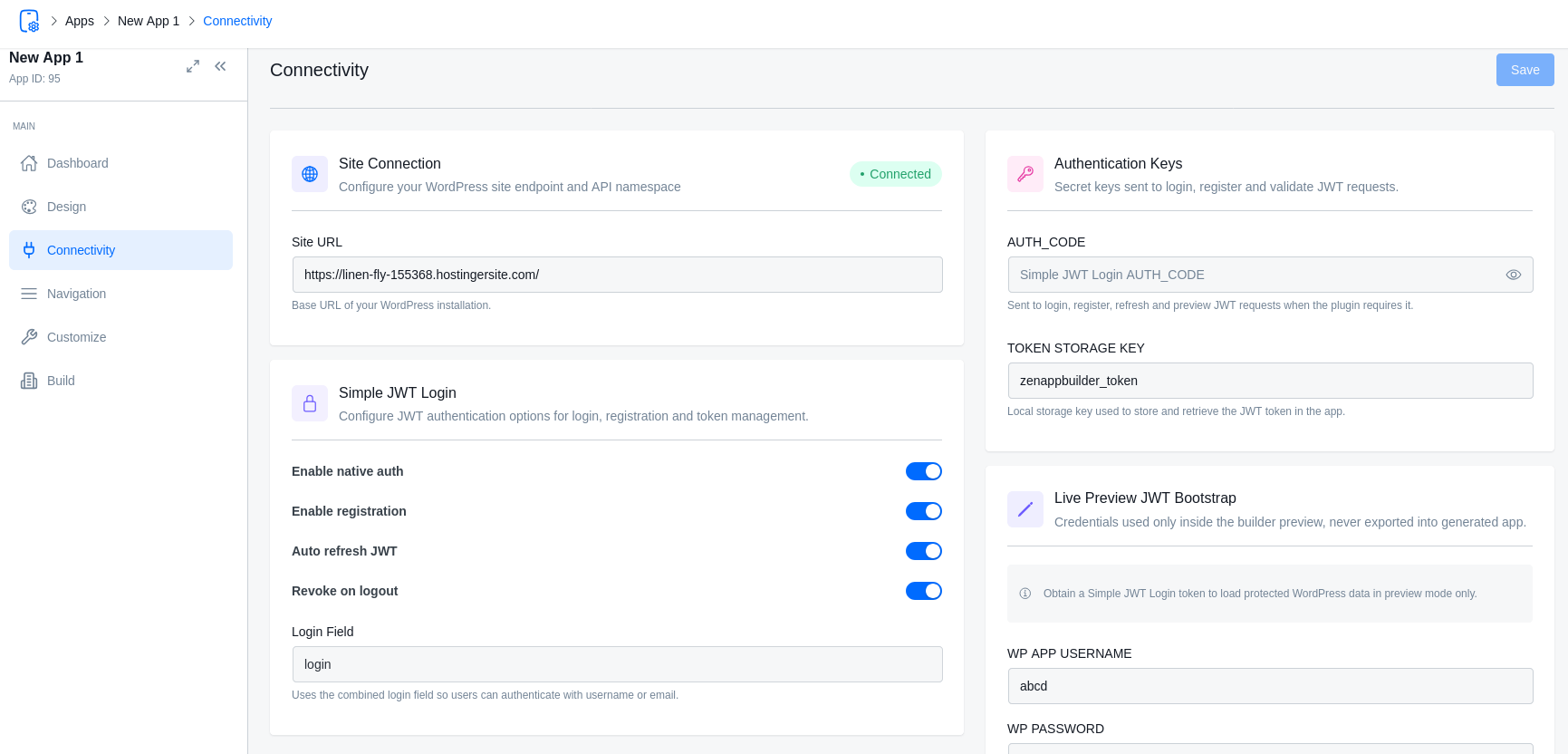
Authentication (Login & Registration)
ZenAppBuilder provides a native login and registration flow, ensuring your users can access their accounts on the go.
Configuration
- Enable Auth: Toggle this “On” to show login screens in the app.
- Login By: Choose whether users log in using their Username or Email.
- Registration: Toggle whether new users can create accounts directly from the app.
For Live Preview
- Edit an existing user from the All Users page.
- Add an application password for that user → copy the password → click “update user”.
- Add that user’s username and copied application password into the Live Preview username and password fields.